SSI's Change Tracking Tools
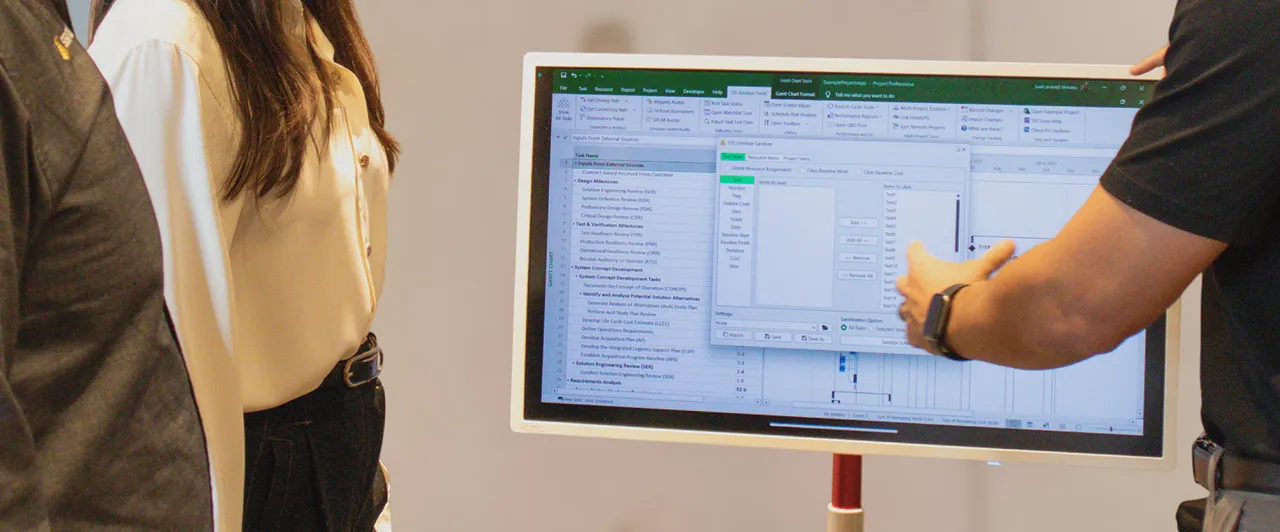
Record changes made in to Microsoft Project schedule and automatically replicate those changes in another.
Allow Multiple People to Change the Schedule at the Same Time
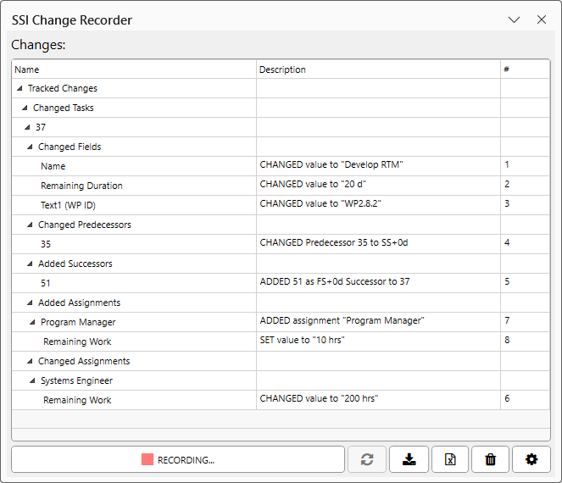
Effortlessly capture changes to your Microsoft Project schedules with SSI's Change Recorder. Just click Start to begin recording task additions, deletions, and modifications . Recorded changes are compiled and saved into a file for seamless import to other schedules using SSI's Change Importer. Improve schedule traceability, simplify collaboration, and eliminate the tedious process of manually documenting schedule changes.
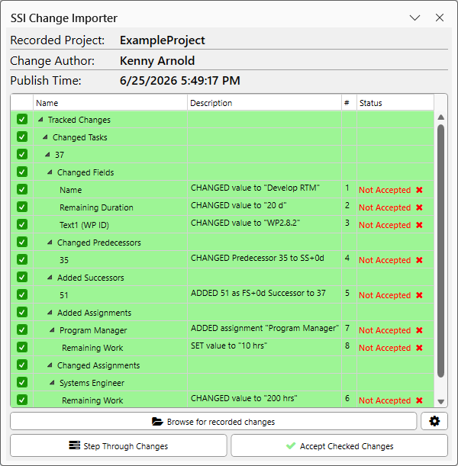
Quickly import recorded schedule changes to your Microsoft Project file using SSI's Change Importer. Review and select the changes you want to accept, then import them all at once, eliminating tedious manual updates and saving valuable time.
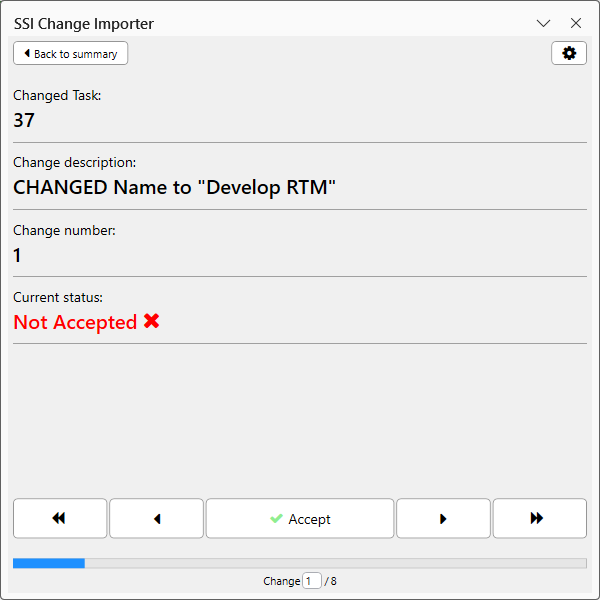
Import changes more methodically by reviewing each recorded changes individually, one at a time. SSI's Change Importer lets you step through each change, evaluate its impact, and decide whether to accept it before moving to the next.
Explore other SSI Tools

Schedule Quality Control

Resource Loading and Analysis

Schedule Risk Analysis

Multi-Project Management

Dependency Analysis

Status Tools

Presentation Tools
See It In Action
Let us show you how SSI Tools work with your Microsoft Project environment.